— Research & Instrument Studio
Rates, Protocols and
Honest Controls
A multi-base research and instrument studio for people who work with radionic and psychotronic rate systems. Build commands, optimize them, design protocols and run structured, blinded sessions — with every output labelled as an experimental or symbolic framework.
The Problem
Rate Systems Are Scattered and Uncontrolled
Many Bases, Many Books
Rate systems and instrument conventions are scattered across print sources and incompatible tools.
No Experimental Control
Without blinding or a sham condition, impressions cannot be separated from expectation.
Opaque AI Use
AI-assisted tools often conceal which provider was used and what was sent.
The Solution
One Studio, Eleven Modules
Command Studio, Command Builder, Command Optimizer, RTD Protocol, Geometry Lab, Harmonizer, RadioScan, Crystalline Signatures, Butcher Grid Tuner, Broadcaster, and Spooky2 & Cybres.
Multi-Base Rates
Work in Base 10, Base 44, Base 336, 100/KRT and DRS rate families, with instrument profiles including Trinity Radionics, Hyperion and Delawarr.
RTD Protocols
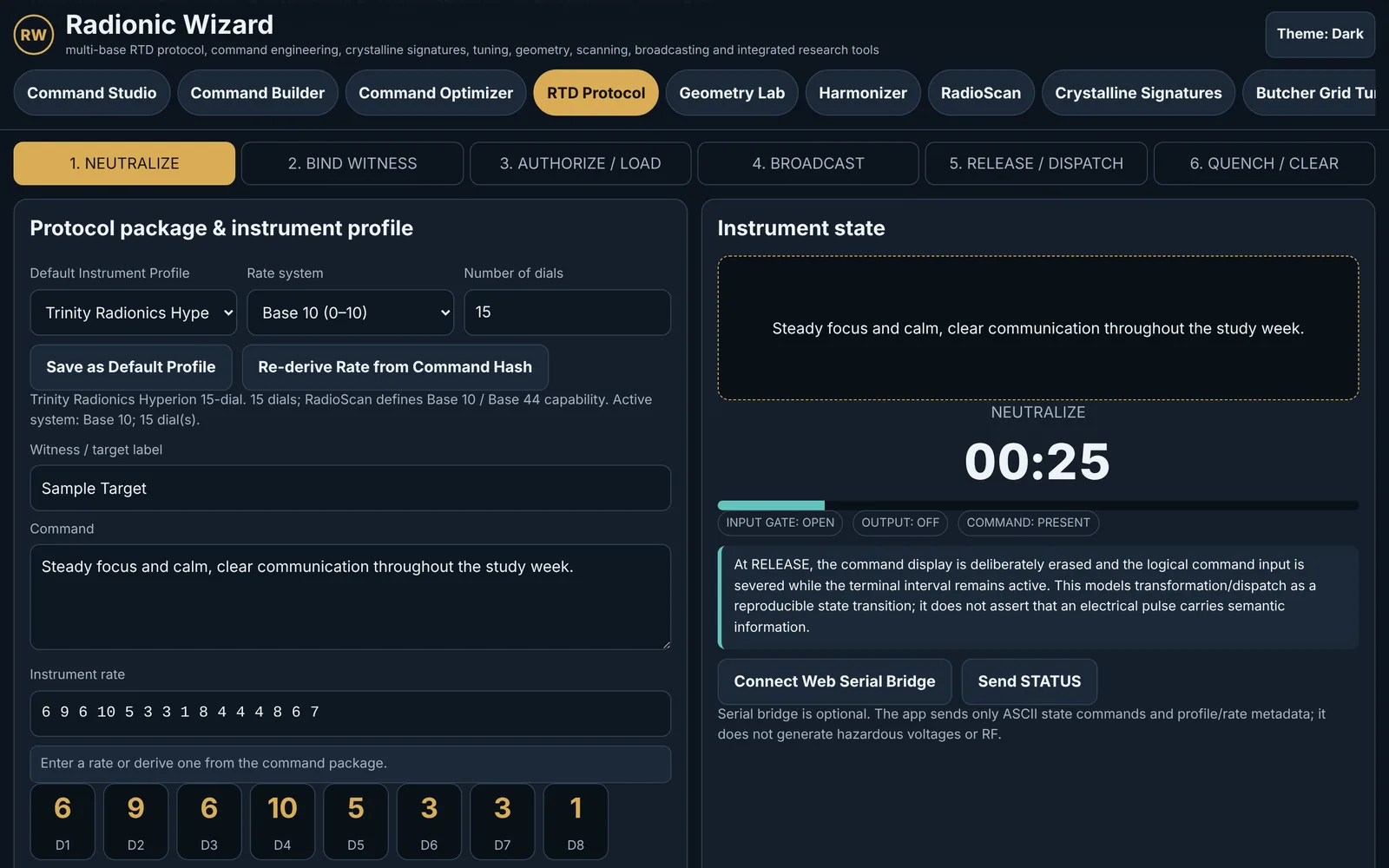
Structure each protocol through six phases: encode, bind, authorize, broadcast, release and quench.
AI Provider Hub
Use five provider adapters with live model discovery. Keys are optional to persist, and persistence is off by default.
Datasets
Draw on the Emotional Atlas and Louise Hay datasets when composing commands.
Blinded Research Mode
Randomize sham and active conditions, choose consent modes, and export session logs for later analysis.
Hardware Bridges
Connect through Web Serial where supported, and prepare content for Spooky2 and Cybres workflows.
Architecture
From Question to Controlled Session
Define the Query
Choose a dataset and rate family, then build the command in Command Studio or Command Builder.
Optimize & Structure
Use the Optimizer and RTD Protocol to arrange the phases and parameters.
Run Under Control
Use blinded mode with a sham condition and your chosen consent mode.
Log & Review
Export session logs and review results against your protocol.
By the Numbers
Inside the Platform
- Broadcast600 73%
- Bind witness60 7%
- Authorize / load60 7%
- Quench / clear60 7%
- Neutralize30 4%
- Release / dispatch10 1%
Default values of the six phase-duration fields in the RTD Protocol view. Every duration can be edited before a run.
| Item | Value (seconds) |
|---|---|
| Broadcast | 600 |
| Bind witness | 60 |
| Authorize / load | 60 |
| Quench / clear | 60 |
| Neutralize | 30 |
| Release / dispatch | 10 |
Evidence Boundary
Radionics and psychotronic broadcasting are not established medical or physical mechanisms. Radionic Wizard treats them as experimental, historical, symbolic and research frameworks. Do not use any output to replace diagnosis, treatment, emergency care or informed consent.
At a Glance
| Item | Detail |
|---|---|
| Runs in | Any modern browser; one self-contained HTML file with 7 embedded native modules |
| Studio modules | 11, from Command Studio to Spooky2 & Cybres, plus About & Instructions |
| Rate families | 5: Base 10, Base 44, Base 336, Base 100 / KRT and DRS; 9 instrument profiles |
| RTD protocol | 6 timed phases, Neutralize to Quench; default run 820 s, all durations editable |
| Blinded research mode | 3 pre-registered conditions, including a profile-valid sham rate; JSON and CSV session logs |
| AI Provider Hub | 5 adapters: OpenAI, Anthropic, Gemini, Qwen and Z.AI; key persistence off by default |
| Embedded datasets | Emotional Atlas (328 entries) and Louise Hay (229 entries) in Command Studio |
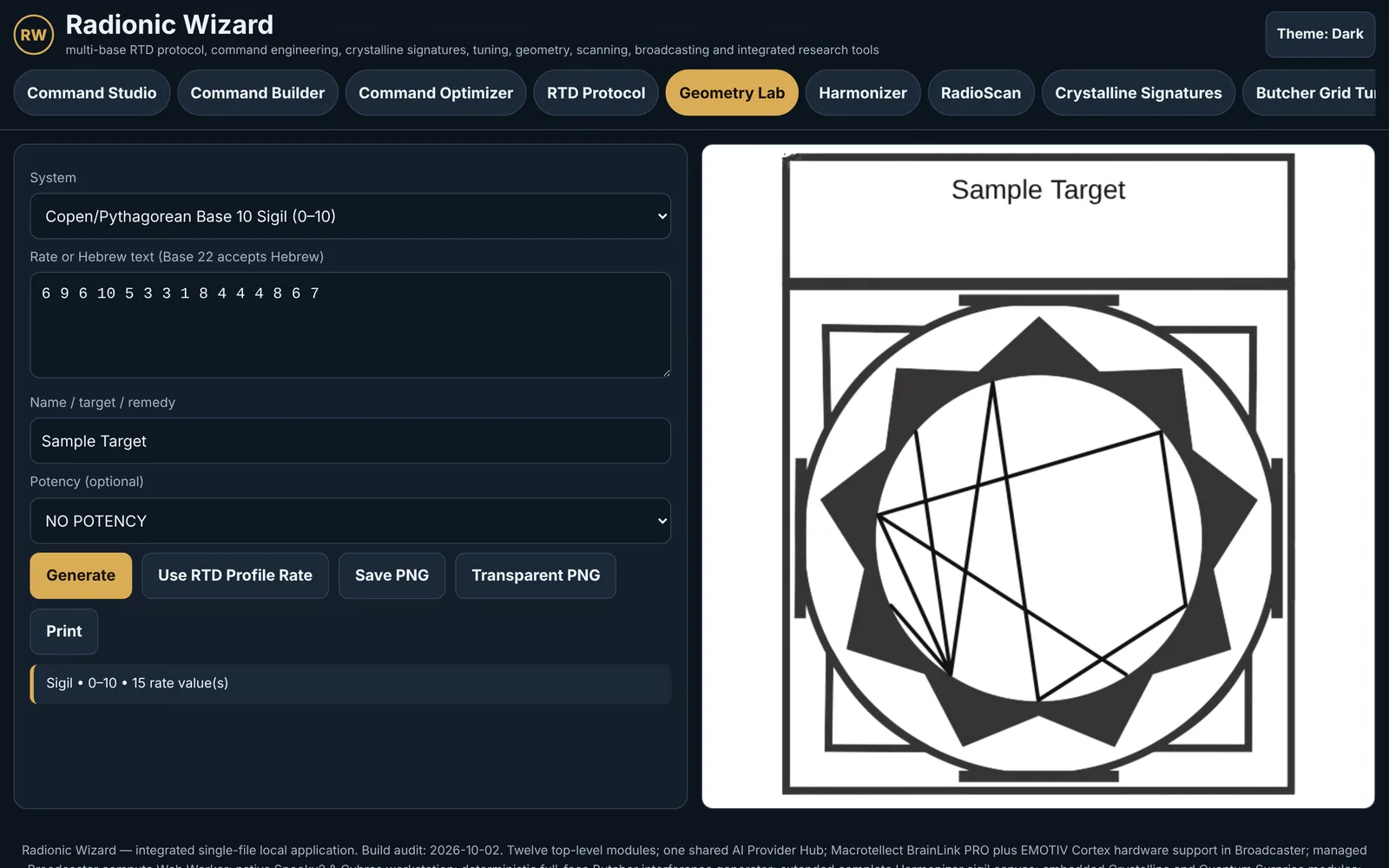
| Geometry Lab | 10 card and sigil systems across Copen, Base 10, 22, 44, 100 and 336 |
Taken from the app's interface, constants and embedded data.
Transparency
Read This First
Not Medical
The studio is not a diagnostic or treatment tool and must never replace medical care.
Framework, Not Mechanism
Outputs are structured symbolic or experimental constructs, not evidence of a physical effect.
Keys & Consent
AI keys are optional to persist and off by default; consent modes govern what is used in each session.
Who Benefits
Built for Careful Practitioners and Researchers
Radionics Practitioners
Organize rates, protocols and instrument profiles in one place.
Experimental Designers
Run blinded, sham-controlled sessions and export the logs.
Instrument Builders
Prototype protocols and geometry with a consistent set of tools.
Licensing
Flexible Plans
for Every Scale
Professional
Contact for Pricing
Full platform access for individual practitioners and researchers.
Institution
Contact for Pricing
Multi-seat licensing for teams, departments, and organisations.
Enterprise
Custom
White-label deployment with custom integrations and dedicated support.
Related Platforms
Explore Further
Contact
Ready to Get Started?
Reach out to discuss licensing options, schedule a demonstration, or request a custom integration proposal.
Email: [click to reveal]