— Astrophotography
Stack the Sky
From Your Pocket
Turn a phone or a small telescope setup into an astrophotography station. Stack frames of the Moon, planets, star fields and deep-sky objects, align them to sub-pixel accuracy, and find your target with a live sky map and an eighty-eight-constellation finder.
The Problem
Faint Targets Defeat a Single Exposure
Noise and Turbulence
A single frame of a planet or faint nebula is dominated by noise, and atmospheric turbulence blurs each exposure differently.
Heavy Desktop Software
Conventional stacking tools assume a computer, cables and a long workflow far from the telescope.
Finding the Target
Locating an object in the dark requires a sky map, a finder and the confidence to star-hop.
The Solution
Capture, Stack and Navigate in One Place
A processing pipeline for phone and telescope data, combined with observing aids and optional hardware control.
Lucky Imaging & Stacking
Quality-weighted and kappa-sigma stacking, with sub-pixel alignment including field-rotation compensation.
Super-Resolution
Reconstruct at 1×, 1.5× or 2× from video or still frames, with hot-pixel, satellite-trail and gradient removal.
Stretch & Sharpen
Wavelet detail, dispersion correction and dark-frame support, with PNG and JPEG export.
Cameras & Mounts
Connect USB astronomy cameras and network cameras, and GoTo mounts from Sky-Watcher, Celestron, ZWO, iOptron, Explore Scientific and others.
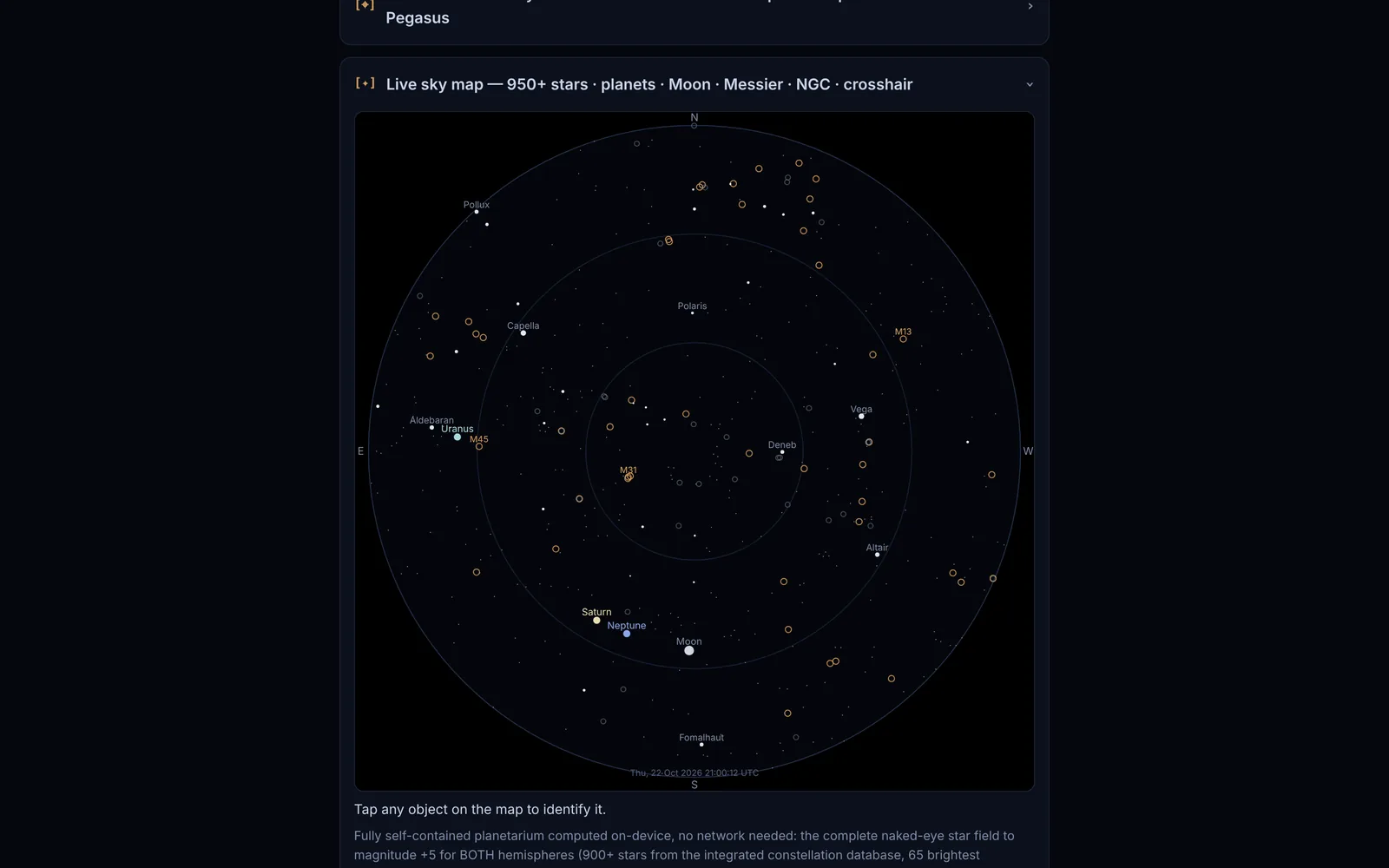
Live Sky Map
A self-contained planetarium computed on your device and usable offline, with the Sun, Moon and bright stars, and optional pointing sensors that show where the phone is aimed.
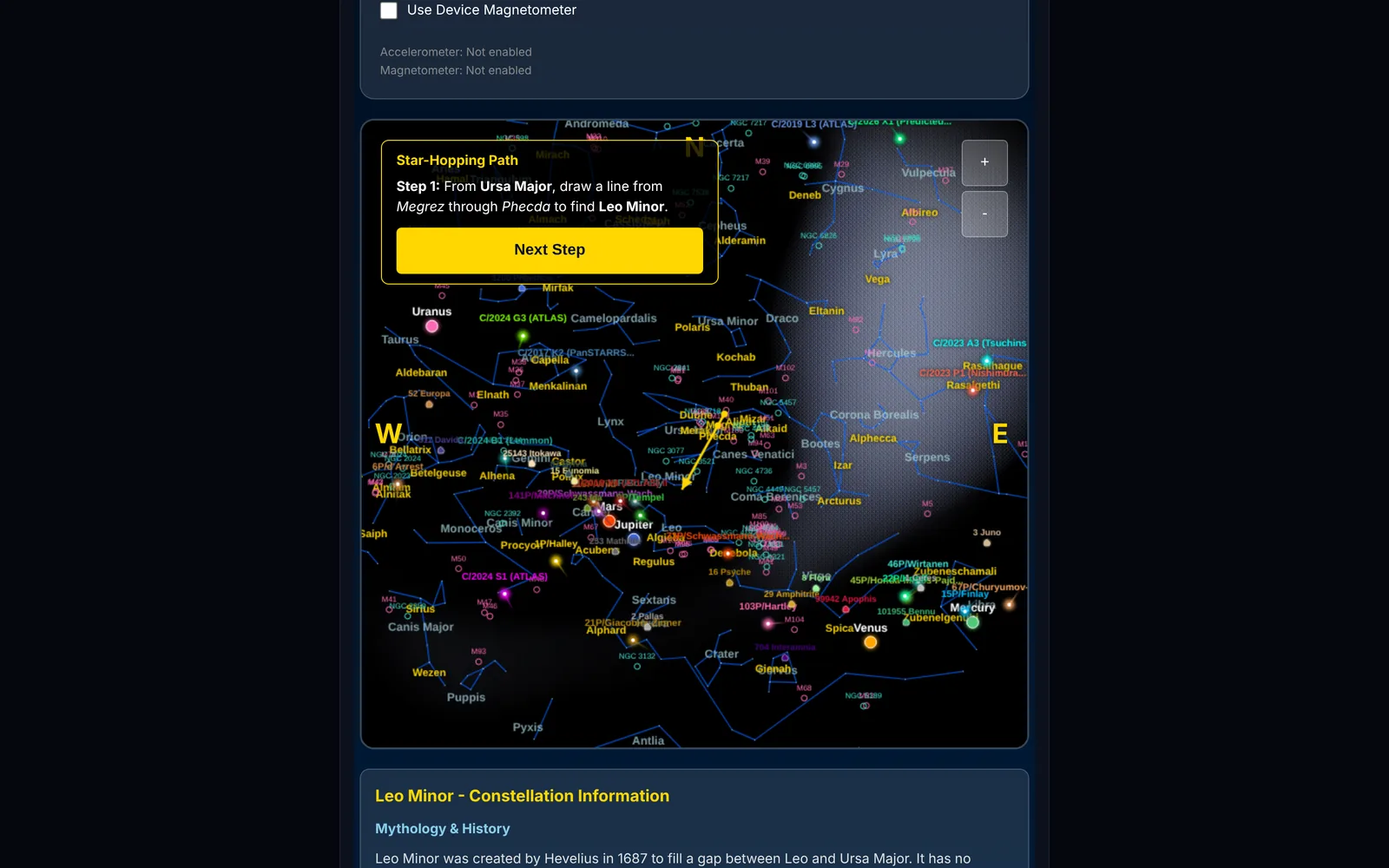
Constellation Finder
Star-hop with eighty-eight constellations and Messier and NGC objects, and link out to Stellarium Web for further reference.
Architecture
From Frames to Finished Image
Find the Target
Use the sky map and constellation finder, or control a GoTo mount, to centre your object.
Capture
Record video or stills with the phone, or connect a camera, and follow the built-in shooting guide for high-resolution phone sensors.
Stack & Refine
Align and combine the best frames, remove defects, then stretch and sharpen.
Export
Save the result as PNG or JPEG for sharing or further editing.
By the Numbers
Inside the Platform
Standard averaging maths for the app's mean-based stacking (plain, quality-weighted and kappa-sigma mean). Real gains are lower when frames are weighted or rejected, and stacking cannot add detail the optics never captured.
| Point | Ideal gain √N (× single-frame SNR) |
|---|---|
| 1 | 1 |
| 5 | 2.24 |
| 10 | 3.16 |
| 20 | 4.47 |
| 40 | 6.32 |
| 60 | 7.75 |
| 80 | 8.94 |
| 100 | 10 |
| 150 | 12.25 |
| 200 | 14.14 |
Device & Browser Notes
Camera access requires a secure (https) connection. Some hardware features depend on the browser: Web Bluetooth is not available in iOS Safari, so mounts there are controlled through a Wi-Fi bridge. Results depend on the quality of the source frames, seeing and equipment.
At a Glance
| Item | Detail |
|---|---|
| Runs in | Any modern browser as a single HTML file; processing stays on the device |
| Targets | Auto-detect, Moon, planet, bright star / cluster, deep-sky object, whole sky |
| Stacking methods | Kappa-sigma rejection, quality-weighted mean or plain mean; Auto picks per target and frame count |
| Super-resolution | 1×, 1.5× or 2×, or Auto per target |
| Inputs | Live camera, hi-res stills (200 MP-class), gallery photos, video up to 4K, USB and network cameras |
| Mount control | 5 protocol presets (SynScan, NexStar, NexStar SE, ZWO / LX200, ASCOM Alpaca) via Bluetooth, Wi-Fi bridge, WebTransport or USB serial |
| Sky tools | Live sky map to magnitude +5 with planets, Sun, Moon and 100+ Messier objects; 88-constellation star-hopping finder |
| Export | PNG or JPEG, plus Share |
From the app's interface, select options and built-in help text.
Transparency
Practical Notes
Browser Capabilities
USB and Bluetooth access follow what the browser provides; see the device notes above.
Frame Quality Matters
Stacking improves signal-to-noise but cannot recover detail that the optics or conditions never captured.
Processing on Device
Large video stacks use phone memory and processing power, so very long clips may need to be split.
Who Benefits
Built for Curious Observers
Smartphone Photographers
Get far more from a phone and a small tripod or telescope adapter.
Amateur Astronomers
Add a fast, portable stacker and finder to your observing kit.
Educators & Outreach
Show a group a live sky map and a stacked result in the same session.
Licensing
Flexible Plans
for Every Scale
Professional
Contact for Pricing
Full platform access for individual practitioners and researchers.
Institution
Contact for Pricing
Multi-seat licensing for teams, departments, and organisations.
Enterprise
Custom
White-label deployment with custom integrations and dedicated support.
Related Platforms
Explore Further
Contact
Ready to Get Started?
Reach out to discuss licensing options, schedule a demonstration, or request a custom integration proposal.
Email: [click to reveal]